


Listen to this article – 5 min read/listen
THE POWER OF VIDEO EDITOR-CLIENT COMMUNICATION IN VIDEO EDITING
PART 2
Scope Creep
Stretching The Limits
Project Drift: When Your Plan Goes Off-Script
My mentor Martin’s wisdom echoes in my mind: “Effective communication is the most difficult thing there is.” And boy, does that hit home in the world of video editing and marketing. He didn’t just meant this in copy writing, but also in client communication.
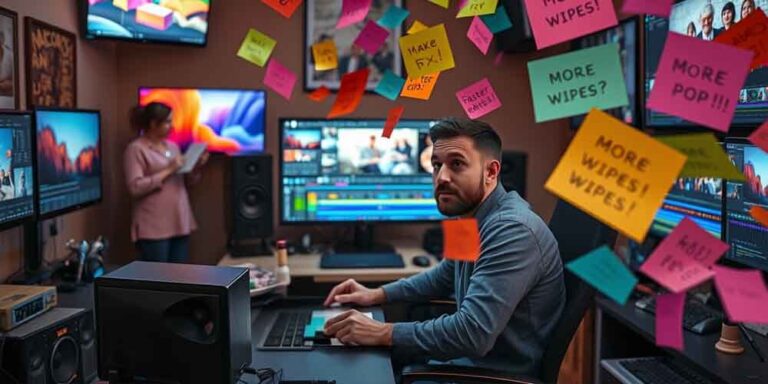
When a client says “More pizzazz..,” I’m left playing a guessing game. Am I supposed to:
- Sprinkle in some sparkly transitions?
- Incorporate a viral-worthy soundtrack?
- Or completely reinvent the visual narrative?
Without crystal-clear communication, we’re navigating a minefield of misunderstandings, setting the stage for those cringe-worthy “What were you thinking?” moments. A good dialogue ensures I know whether to go full Spielberg or keep it simple. So, let’s keep the lines open.
Understanding the Creeping Monster
Let’s get technical for a moment. That sneaky Scope Creep project killer is defined as: ‘uncontrolled expansion of a project’s goals or requirements beyond the original plan, often causing delays, higher costs, and inefficiencies.’
A rose by any other name would smell as sweet… This phenomenon goes by many names: project expansion, requirement drift, uncontrolled growth, feature bloat, or specification creep. So, whatever we call it, scope creep has paralysing effects on our video projects, and just needs to be dealt with.
Let me take you back to my early days as a video editor: a time of naive optimism and client-induced chaos.
The Typical Scope Creep Progression
- Stage 1: The Innocent Tweaks:
“Could we just adjust that transition?”
Seems harmless, right? Famous last words. - Stage 2: The Significant Shifts:
“Actually, let’s restructure this entire section.”
Deep breath. Okay, still manageable. - Stage 3: The Full Metamorphosis:
“We’ve been thinking… what if we completely changed the concept to include…”
And there goes your carefully planned timeline. You just lost project control…
A War Story from the Editing Trenches
I once worked on what was supposed to be a simple 2-minute product video for a tech startup. Initial brief? Simple. Straightforward. Predictable.
Final delivery? A Frankenproject that included:
- A mini-documentary style narrative
- Custom animations for every single feature
- Executive interviews that felt like a corporate tell-all
- Multilingual versions
- Motion graphics that would make Pixar jealous
The original 2-minute video had mutated into a 15-minute epic; same budget, same impossible deadline.
Taming the Scope Creep Beast
Some practical strategies and pro tips for preventing scope creep. My hard-learned strategies for survival are:
1. Set Crystal-Clear Expectations
Documentation is your lifeline. Document everything. Explicitly outline deliverables. Define revision parameters and limits. What’s a revision? Create a clear distinction between revisions and new projects. What triggers a new project? So, make it kindergarten clear. Always get it in writing. Verbal agreements are quicksand. Ensure every change is documented and approved.
2. Create a Comprehensive Initial Brief
The more detailed your initial discussion, the less room for misinterpretation.
3. Implement a Change Request Process
Develop a standard form for tracking and approving project modifications. Create definitive milestones where clients:
- Review current progress
- Provide specific feedback
- Officially sign off before progression. No backtracks allowed.
Our Solution? The Flexible Subscription Add-On Approach!
At Cut It Short, we’ve developed a flexible subscription model that’s basically kryptonite to scope creep. Enter the stage: The Add-On!
Need an extra feature? No problem. Want to expand capabilities without a full project overhaul? We’ve got you covered.
Clients can now:
- Define exact project requirements upfront
- Activate specific features as needed
- Maintain budget control
- Adapt project scope without complete redesign
Add-On options feature: Engaging Captions, professional Sound Design, Voiceover production, multilingual Subtitles, advanced Video Effects, and much more…
Want to see our full add-on catalog? Visit the dedicated Add-on section at the bottom of our pricing page.
The Path Forward
Remember, scope creep isn’t about defending territory – it’s about collaborative storytelling. Approach each project as a partnership, where clear communication transforms potential frustration into creative excellence.
Coming Next: Technical Limitations
In Part 3 of our series, we’ll dive deep into the technical constraints that can challenge even the most skilled video editors. From software limitations to hardware restrictions, you’ll learn strategies to turn potential roadblocks into creative opportunities.
Stay curious, stay communicative, and keep creating!
—
This is Part 2 of our 7-part blog series on Video Editor-Client Communication. Throughout this series, we’ll explore key challenges including miscommunication, scope creep, technical limitations, tight deadlines, limited budgets, revisions, and legal considerations. Drawing from real experiences straight from the cutting room, mixed with snippets from the cutting room floor, we provide actionable tips to enhance your client interactions as a video editor.


